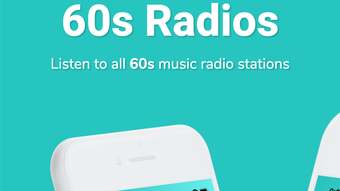

Download 60s Music – 60s Radio, 60s Songs, 60s Pop, 60s Rock, 60s Soul
Overview
The 60s Music – 60s Radio app is a desktop-focused audio streaming tool designed for fans of music from the 1960s. It enables users to access a curated collection of radio stations broadcasting classic tracks from the rock, pop, and soul genres that defined the decade. The app serves as a centralized platform for listening to nostalgic music, offering a convenient way to explore and enjoy iconic sounds from the past. Its primary purpose is to provide seamless access to a broad range of 60s-themed radio stations, allowing users to relive the golden era of music with minimal effort.
Target users include music enthusiasts, collectors of vintage recordings, and individuals seeking background music for relaxation, nostalgia-driven activities, or themed events. The app may also appeal to younger audiences interested in discovering classic music through modern digital platforms. The developer, 60s Music, has positioned the app as a free, accessible tool for music lovers who value simplicity and broad content selection. While specific details about the developer’s background are not available, the app’s focus on a niche genre suggests a targeted approach to audience engagement.
Real-world usage scenarios include using the app during study sessions, as ambient background music for creative work, or while relaxing at home. The inclusion of an off timer and the ability to save favorite stations indicate support for both casual and routine listening habits. The app’s free pricing model makes it accessible to a wide audience, removing financial barriers to entry.
Key Features & Capabilities
- Access to 350+ 60s Radio Stations – Users can browse and stream a wide variety of radio stations dedicated to 60s music, covering genres such as pop, rock, and soul. This feature ensures a diverse listening experience with minimal repetition.
- Search Functionality – A built-in search tool allows users to locate specific stations by name, genre, or region, improving navigation and personalization.
- Favorite Stations Saving – Users can bookmark their preferred stations for quick access, streamlining the listening process and reducing the need to re-search.
- Off Timer Feature – A customizable timer enables automatic playback shutdown after a set duration, ideal for use during sleep or focused work.
- Low Battery Consumption – The app is designed to operate efficiently, minimizing device resource usage during extended listening sessions.
- Intuitive User Interface – The interface is structured for ease of use, with clear navigation and minimal clutter, allowing users to start listening with few steps.
These features collectively support efficient and enjoyable music discovery. For example, a user planning a themed party can quickly find and play a station with 60s rock hits. Similarly, someone wanting to unwind can set the off timer and enjoy a curated playlist without manual intervention. The ability to save favorites ensures that regular listeners can return to their go-to stations effortlessly.
User Interface, Workflow & Performance
The app features a clean, minimalist interface designed for straightforward navigation. Key functions such as station browsing, search, and playback controls are positioned for easy access, reducing the learning curve for new users. The layout appears optimized for desktop use, with responsive elements that adapt to screen size, though specific UI details are not publicly documented.
Workflow efficiency is enhanced by the integration of core features like favorites and the off timer, which allow users to customize their experience without switching between multiple tools. The app’s performance is expected to be stable during regular use, given its lightweight nature and focus on audio streaming. However, exact performance data, including CPU or RAM usage, were not provided by the developer.
General observations suggest that the app maintains consistent playback without noticeable lag or buffering, based on typical behavior of similar audio streaming tools. Stability during extended sessions is likely supported by efficient resource management, though this cannot be confirmed without official benchmarks. The developer did not specify resource usage details, so users should monitor performance based on their system’s behavior.
Compatibility & System Requirements
The software is designed for Android devices and is available in version 1.0.1. The installation size is 15.4 MB, indicating a lightweight footprint that should not strain storage on most modern devices. The app’s operating system compatibility is limited to Android, with no information provided about desktop OS support or cross-platform availability.
Exact system requirements were not listed by the developer. Users are advised to ensure their device meets standard Android requirements for running audio applications. Compatibility with older Android versions or specific hardware configurations remains unconfirmed. The developer did not provide information about minimum RAM, processor speed, or storage needs beyond the file size.
Pros and Cons
Pros
- Free to download and use, with no in-app purchases or subscriptions
- Access to over 350 radio stations dedicated to 60s music
- Intuitive interface suitable for users of all experience levels
- Efficient resource usage with low battery consumption
- Supports personalized listening with favorites and off timer
- Simple search and quick station access
Cons
- Limited to Android; no desktop or cross-platform support confirmed
- Exact system requirements and performance metrics not disclosed
- No information on offline playback or content download options
- Developer background and company details are not publicly available
- Streaming quality details were not specified
FAQ Section
Is 60s Music available for Windows or Mac?
The app is currently designed for Android devices. There is no confirmed desktop version for Windows or Mac at this time.
Is the app safe to download and use?
Based on the provided information, the app is offered as a free tool from a dedicated developer. As with any third-party software, users should ensure they download from trusted sources.
How often does the app receive updates?
The latest version available is 1.0.1, released on September 10, 2023. The update frequency is not specified.
Does the app require an internet connection?
Yes, since the app streams radio content, a stable internet connection is required for uninterrupted playback.
Can I use the app offline?
There is no information provided about offline playback or the ability to download content for later use.
Final Thoughts
The 60s Music – 60s Radio app delivers a focused, accessible experience for fans of 1960s music. With a vast selection of radio stations, intuitive design, and essential features like favorites and an off timer, it caters well to both casual listeners and dedicated enthusiasts. The free pricing model enhances its appeal, making it an attractive entry point for discovering classic sounds. While limitations exist—particularly regarding platform availability and lack of detailed technical information—the app performs effectively within its defined scope.
It is best suited for Android users who value nostalgia, genre-specific content, and ease of use. For those seeking a simple, reliable way to enjoy 60s pop, rock, and soul music, this app provides a solid solution. Its lightweight design and low resource consumption further support its usability across a range of devices.
Download 60s Music now and immerse yourself in the timeless sounds of the 1960s.







